
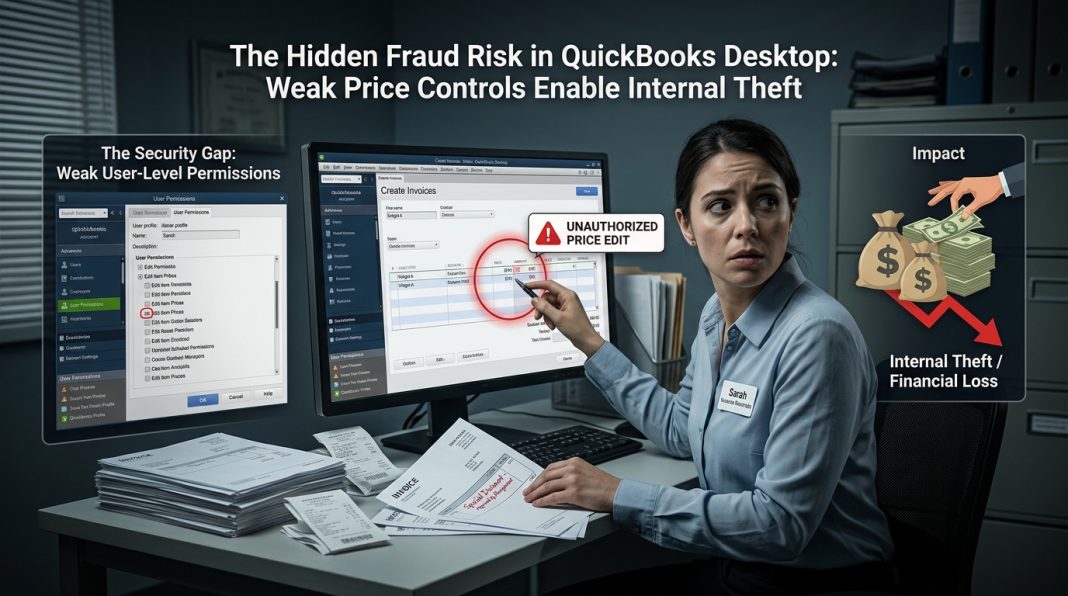
Why Lack of User-Level Price Permissions Exposes Your Business to Internal Theft
In the world of accounting software selection, businesses often focus on features like invoicing speed, reporting capabilities, or cloud sync. Rarely do they scrutinize one of the most critical controls for financial integrity: user-level price permissions. Yet this single oversight is costing companies millions in margin erosion, compliance failures, and outright fraud. QuickBooks Desktop, despite its market dominance, has a fundamental weakness that leaves businesses vulnerable to internal bad actors: it cannot restrict price modifications at the user permission level. Sage Pastel Partner, by contrast, was built with granular price governance at its core. Here’s why this difference isn’t just a feature gap—it’s a security vulnerability that could be exploited by the very employees you trust.
The QuickBooks Blind Spot: Any User Can Change Any Price
QuickBooks Desktop’s user permission system is notoriously coarse. Administrators can restrict access to modules (e.g., “Can create invoices but not delete them”) or limit visibility to certain customers or accounts. However, there is no native permission setting that prevents a user from modifying the unit price or rate field on an invoice line item. Once a user has access to create or edit invoices, they can—intentionally or accidentally—change the price of any item to any value.
Consider the scenarios this enables:
- A disgruntled employee offers a “friend” a 90% discount on a $10,000 order, costing the company $9,000 in lost revenue.
- A sales staff member applies unauthorized “promotional pricing” to boost their commission metrics, eroding margins across hundreds of transactions.
- An accounts receivable clerk reduces a customer’s outstanding balance by lowering invoice line prices, then pockets the difference when the customer pays the original amount.
- A manager overrides pricing without approval workflows, creating inconsistent billing that triggers customer disputes and audit red flags.
In each case, QuickBooks Desktop logs the transaction but provides no native mechanism to prevent, flag, or require approval for the price change itself. The system trusts the user implicitly once they have invoice access. For businesses with separation-of-duties requirements, franchise pricing agreements, or regulated margin controls, this is not a minor inconvenience—it’s a material control weakness.
Why External Scripts and Workarounds Fail to Close the Gap
Many IT teams attempt to mitigate this risk with external automation: Python scripts that poll for price violations, COM-based correctors that revert unauthorized changes, or database triggers that flag suspicious transactions. While creative, these approaches suffer from three fatal flaws:
- Reactive, Not Preventive: External tools can only detect and correct violations after the invoice is saved. By then, the damage may already be done—the customer has received a discounted quote, the employee has logged a fraudulent commission, or the transaction has been exported to a downstream system.
- Architectural Fragility: As documented extensively in real-world deployments, QuickBooks’ COM interface is prone to session timeouts, modal dialog blocks, and “ticket invalid” errors. A correction script that fails silently due to a QuickBooks UI popup leaves the fraudulent transaction uncorrected and undetected.
- Audit Gaps: External logging systems are separate from QuickBooks’ native audit trail. During an internal or external audit, reconciling price changes across multiple systems creates complexity and increases the risk of oversight.
In short, workarounds add cost and complexity without eliminating the underlying vulnerability. The permission to change prices remains with the user; the script is just a bandage on a structural wound.
Sage Pastel Partner: Granular Price Permissions as a Fraud Deterrent
Sage Pastel Partner was designed for businesses that require strict financial controls. Its user permission system includes native, field-level restrictions for pricing. Administrators can configure roles with surgical precision:
- Price View-Only: Users can see item prices but cannot modify them during invoice entry.
- Price Range Limits: Users can adjust prices only within a defined tolerance (e.g., ±5% of list price). Changes outside this range require manager approval.
- Customer-Specific Pricing: Users can only apply pre-approved price lists assigned to specific customers or customer groups.
- Override Logging with Mandatory Reasons: When a user is granted temporary price-adjustment rights, every override is logged with user ID, timestamp, and a mandatory justification field. These logs are visible in real-time to supervisors and included in native audit reports.
- Role-Based Approval Workflows: Price changes beyond predefined thresholds can be configured to require electronic approval from a designated manager before the invoice can be saved.
These controls operate at the application layer, meaning they are enforced before the transaction is committed to the database. There is no window for exploitation, no external script to fail, and no audit trail to reconcile. The control is native, immediate, and non-bypassable by design.
Real-World Fraud Scenarios: How the Permission Gap Enables Loss
To understand the stakes, consider these documented cases where QuickBooks’ permission limitations contributed to financial loss:
Case 1: The “Friendly Discount” Scheme
A retail franchise employee used QuickBooks Desktop to process customer orders. Because the system allowed any invoice user to modify line prices, the employee routinely applied 50–80% discounts to friends and family. The fraud went undetected for 18 months because QuickBooks logged the final invoice amount but not the fact that the price had been manually overridden. Loss: $217,000 in unrecovered revenue.
Case 2: Commission Manipulation
A sales representative at a distribution company discovered they could increase their commission by lowering invoice prices to accelerate customer payments (which triggered bonus thresholds). QuickBooks had no permission setting to restrict price edits, and no approval workflow for discounts. The scheme inflated commission payouts by 34% over two years before an external audit uncovered the pattern. Loss: $89,000 in overpaid commissions + reputational damage.
Case 3: The Accounts Receivable Skim
An AR clerk with invoice-editing access reduced customer balances by lowering line-item prices on paid invoices. When customers paid the original (higher) amounts, the clerk diverted the difference to a personal account. QuickBooks’ audit trail showed the final invoice amount but not the price-change event, delaying detection. Loss: $156,000 + regulatory fines for inadequate internal controls.
In each case, Sage Pastel Partner’s native price permissions would have prevented the fraud at the point of entry: the employee would have been blocked from changing the price, or the change would have triggered an approval workflow that exposed the anomaly.
Compliance and Audit Implications: Beyond Fraud Prevention
The risk isn’t limited to intentional fraud. Many industries face regulatory requirements for pricing transparency and margin controls:
- Franchise Agreements: Franchisors often mandate minimum advertised prices (MAP) or fixed wholesale rates. QuickBooks cannot enforce these at the user level, exposing franchisors to breach-of-contract claims.
- Healthcare and Government Contracting: Regulated sectors require auditable justification for any price deviation. QuickBooks’ lack of native override logging creates compliance gaps during inspections.
- Public Company SOX Controls: Sarbanes-Oxley requires documented internal controls over financial reporting. A system that allows unrestricted price edits by any invoice user is a material weakness that auditors will flag.
Sage Pastel Partner addresses these requirements natively. Price permissions are configurable, override reasons are mandatory and logged, and all changes are visible in real-time audit reports. This isn’t just about preventing fraud—it’s about demonstrating due diligence to regulators, auditors, and business partners.
The Cost of “Good Enough”: Why Businesses Delay the Switch
Many companies recognize QuickBooks’ permission limitations but delay migration due to perceived switching costs: data conversion, staff retraining, workflow disruption. However, the hidden cost of inaction is often far greater:
- Margin Erosion: Unauthorized discounts compound over time. A 5% leak on $1M in annual invoicing is $50,000 in lost profit.
- Fraud Losses: As the cases above illustrate, internal theft enabled by weak controls can reach six figures before detection.
- Audit Remediation: Fixing control weaknesses post-audit often requires emergency consulting, system customization, or rushed migrations—far more expensive than a planned transition.
- Reputational Damage: Customer disputes over inconsistent pricing or regulatory fines for inadequate controls can harm brand trust long after the technical issue is resolved.
When evaluated against these risks, the investment in a platform with native price governance becomes not just a technical decision, but a financial safeguard.
Making the Transition: Practical Steps for Businesses Ready to Enforce Price Control
If your organization has identified price permissions as a critical control gap, here’s how to move forward:
- Document Your Pricing Policy: Define who can change prices, under what conditions, and what approvals are required. This becomes your configuration blueprint.
- Map QuickBooks Roles to Pastel Partner Permissions: Identify which QuickBooks user roles need view-only, limited-adjustment, or full pricing rights in the new system.
- Pilot with a Control Group: Test Sage Pastel Partner’s price permissions with a small team before full rollout. Validate that approval workflows, override logging, and audit reports meet your compliance needs.
- Train Staff on the “Why”: Emphasize that price controls protect the business, not just restrict users. Frame permissions as a tool for consistency and fairness.
- Migrate with Data Integrity: Use Sage’s migration tools or a certified partner to ensure item lists, customer price agreements, and historical transactions transfer accurately.
Conclusion: Price Control Isn’t a Feature—It’s a Fiduciary Duty
In an era of increasing regulatory scrutiny and sophisticated internal fraud, accounting software must do more than record transactions—it must enforce the policies that protect those transactions. QuickBooks Desktop’s inability to restrict price modifications at the user permission level isn’t just a missing feature; it’s a control weakness that exposes businesses to financial loss, compliance risk, and reputational harm.
Sage Pastel Partner was built for organizations that cannot afford to trust implicitly. Its native, granular price permissions ensure that pricing policies are enforced at the point of entry, logged transparently, and auditable in real time. For businesses where every dollar of margin matters, where compliance is non-negotiable, and where internal controls must be demonstrably robust, the choice isn’t about which software is more popular—it’s about which platform aligns with your fiduciary responsibility.
Don’t wait for a fraud incident to reveal the gap. Evaluate your pricing controls today. Your financial integrity depends on it.

