

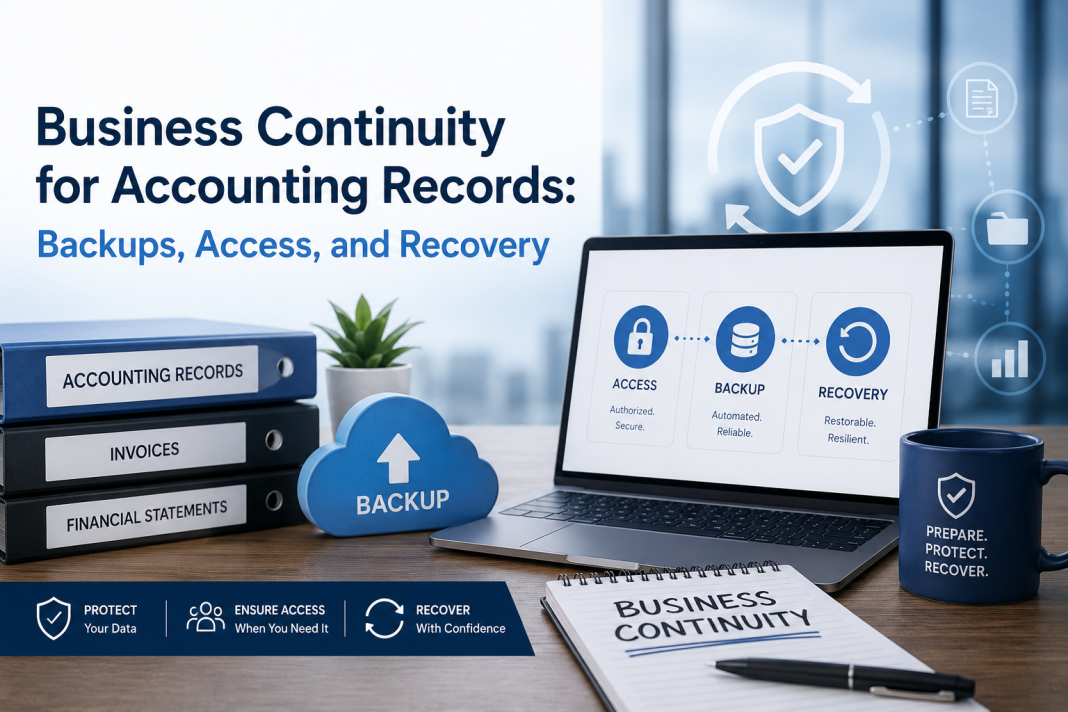
Business Continuity for Accounting Records: Backups, Access, and Recovery
Sarah Martinez stared at her computer screen in disbelief. The message “File Corrupted. Cannot Open” glowed mockingly in red letters. It was 8 AM on a Monday morning, and she couldn’t access the accounting files for Martinez & Associates, the family business her grandfather had built over four decades.
Three months of meticulous bookkeeping, every invoice, every payment, every tax calculation—all gone in an instant. The backup drive that sat in the corner of her office? It hadn’t been tested since installation six months ago. As Sarah frantically called IT support, then her accountant, then her insurance company, the weight of potential disaster settled on her shoulders. This wasn’t just about missing data—it was about the livelihood of 15 employees and the trust of 200+ clients who depended on their services.
Sarah’s story isn’t unique. In today’s rapidly evolving business landscape, the integrity and availability of accounting records are not just important—they’re critical to survival. Every transaction, every receipt, and every financial adjustment tells a part of your business story. Losing this data can mean more than inconvenience; it can spell disaster. This article will guide you through practical strategies for ensuring your accounting records remain secure, accessible, and recoverable—because business continuity isn’t an option, it’s a necessity.
The Human Cost of Data Loss: Stories That Changed Everything
Let me share another story that illustrates the devastating impact of poor data management. Thomas Chen owned a thriving import-export business in Johannesburg. His company moved millions of dollars worth of goods monthly, and his accounting system tracked everything from shipping costs to customs duties. When his server crashed during a routine software update, Thomas was confident his weekly backups would save the day.
They didn’t. The backup system had been failing silently for three weeks due to a configuration error he’d never noticed. By the time he realized the problem, he’d lost two months of critical shipping documentation, customs filings, and client billing records. The ripple effect was immediate and severe. Clients couldn’t get their invoices, suppliers questioned payment delays, and customs authorities grew suspicious of missing documentation. Thomas spent six months manually reconstructing records from paper receipts and email confirmations. The stress took a toll on his health, his marriage suffered, and he eventually sold the business at a fraction of its value.
These stories aren’t meant to frighten you—they’re designed to illustrate why understanding your data’s vulnerability is crucial. Behind every corrupted file, failed backup, or inaccessible system, there’s a human story of stress, uncertainty, and often, significant financial loss.
Understanding the Stakes: Why Your Accounting Data Matters
Before diving into solutions, let’s understand what we’re protecting. Your accounting records aren’t just numbers on a screen—they’re the lifeblood of your business, representing years of hard work, careful planning, and stakeholder trust.
Legal Documentation Required for Compliance
Your accounting records serve as legal proof of every transaction. In Zimbabwe, businesses must maintain detailed records for ZIMRA compliance, including fiscal receipts, tax calculations, and financial statements. Without these, you’re not just facing potential fines—you’re risking your business license and reputation.
Historical Business Intelligence
Every entry in your accounting system represents a decision, a strategy, or a market response. These records contain invaluable insights about seasonal trends, customer preferences, vendor reliability, and operational efficiency. Losing this historical context means losing the ability to learn from past successes and mistakes.
Cash Flow Evidence
Your accounting records are the foundation for securing loans, attracting investors, and maintaining business credit. Banks and financial institutions rely on these documents to assess your creditworthiness. Without verifiable financial records, you lose access to capital that could fuel growth and expansion.
Operational Backbone
Daily operations depend on accurate accounting data. You need to know which customers owe money, which vendors expect payment, which products generate profit, and which departments consume resources. Without this operational intelligence, your business becomes reactive rather than proactive.
Regulatory Compliance
Modern businesses operate within complex regulatory frameworks. Whether it’s tax requirements, industry-specific reporting, or international trade regulations, your accounting records provide the evidence needed to demonstrate compliance. Regulatory violations can result in substantial penalties, legal action, and reputational damage.
Consider this scenario: A manufacturing company loses three months of inventory tracking data due to a server failure. Not only do they face potential audit issues, but they also struggle to fulfill orders, manage supplier relationships, and maintain accurate financial reporting. The cost of recovery far exceeds the investment in proper backup systems. More importantly, the company’s reputation among customers and suppliers takes a hit that may take years to repair.
The Three Pillars of Accounting Record Continuity
1. Comprehensive Backup Strategies: Building Your Safety Net
The first pillar of business continuity is creating multiple layers of protection around your critical accounting data. Think of it as building a safety net—not just one layer, but multiple interconnected safeguards that work together to protect your most valuable asset.
Multi-Tiered Backup Approach
Your backup strategy should mirror the complexity of your business operations, providing protection at different levels and frequencies:
Immediate Local Backups (Every Hour)
Picture this: You’re entering the final entries for a busy day of transactions, and suddenly, your computer freezes. In that moment, having an hourly backup becomes your lifeline. For QuickBooks users, this means configuring automated backup features with local saves that occur during natural breaks in activity. Use cloud-synced drives (like OneDrive or Google Drive) for real-time synchronization, ensuring that even if your local machine fails, your data remains accessible.
The emotional security of knowing that your most recent work is preserved can’t be overstated. Imagine the relief of discovering that despite a system crash, you’ve only lost five minutes of work instead of an entire day’s efforts.
Daily Cloud Backups (End of Each Business Day)
At the end of each productive day, when your books are balanced and your reports are generated, schedule automatic cloud backups to services like AWS S3, Google Cloud, or specialized accounting backup providers. These backups should occur after the day’s transactions are complete, capturing the full picture of your business activities.
Verify backup integrity through automated checksums—mathematical algorithms that ensure your backup matches your original data exactly. This verification process provides peace of mind that your backup is complete and usable when needed.
Weekly Archival Backups
Create compressed, encrypted archives of the week’s data, representing a comprehensive snapshot of your business activities. Store these in separate geographic locations to protect against localized disasters like fires, floods, or theft. Test recovery procedures monthly, not just to ensure technical functionality, but to build confidence in your disaster recovery capabilities.
Practical Implementation Steps:
- Set up automated backup schedules during low-usage periods – Choose times when your business naturally experiences lower activity, such as early morning or late evening, to minimize disruption to operations.
- Create verification scripts that confirm backup completion – Don’t just assume your backups are working; implement automated systems that notify you of success or failure, so you’re never caught unprepared.
- Establish alerts for backup failures – Immediate notification of backup failures allows for quick intervention before the problem compounds.
- Document backup locations and access procedures – In times of stress, having clear, written procedures prevents confusion and speeds recovery.
2. Secure Access Management: Protecting Your Digital Fortress
The second pillar focuses on controlling who can access your accounting data and how they can interact with it. This isn’t just about keeping out bad actors—it’s about managing internal access to prevent accidental changes, unauthorized modifications, and security breaches that could compromise your business continuity.
Multi-Factor Authentication (MFA): Your First Line of Defense
Your accounting data should be protected by more than just passwords. The emotional reassurance of knowing that even if someone steals or guesses your password, they still can’t access your critical data provides invaluable peace of mind:
- Primary authentication: Strong, unique passwords (minimum 12 characters) that combine uppercase, lowercase, numbers, and special characters
- Secondary authentication: SMS codes, authenticator apps, or hardware tokens that add an extra layer of security
- Biometric backup: Fingerprint or facial recognition where available, providing seamless security for authorized users
Role-Based Access Control: Trust But Verify
Not everyone needs the same level of access, and understanding this principle can prevent both malicious and accidental data corruption. Consider the emotional comfort of knowing that your receptionist can view basic client information but cannot modify financial records, or that your bookkeeper can enter transactions but cannot approve payments above certain thresholds:
- Administrative users: Full access for bookkeepers and accountants who need comprehensive system capabilities
- Management users: Read-only access for executives and managers who need to monitor performance without modifying underlying data
- Limited users: Specific function access for department heads who need particular information without broad system access
- Emergency users: Locked accounts for disaster recovery scenarios, accessible only during genuine emergencies
Practical Access Controls:
- Implement session timeouts after 15 minutes of inactivity – This simple measure protects data when users step away from their computers
- Require password changes every 90 days – Regular updates reduce the risk of compromised credentials
- Maintain access logs for audit trails – Documentation of who accessed what data when provides accountability and security
- Have emergency access procedures documented and tested – Preparation prevents panic during actual emergencies
3. Rapid Recovery Protocols: Your Path Back to Normalcy
The third pillar addresses what happens when everything goes wrong. While prevention is ideal, preparation for recovery is essential. The difference between a minor inconvenience and a business-ending catastrophe often lies in how quickly and effectively you can recover from a data loss event.
Recovery Time Objectives (RTO) and Recovery Point Objectives (RPO)
Define your tolerance for data loss and downtime with realistic expectations that balance business needs with technical capabilities:
- Critical systems: RTO < 4 hours, RPO < 1 hour – For businesses where every minute of downtime costs thousands of dollars
- Important systems: RTO < 24 hours, RPO < 4 hours – For core business functions that are important but allow for some recovery time
- Standard systems: RTO < 72 hours, RPO < 24 hours – For supporting systems that are useful but not mission-critical
Disaster Recovery Checklist: Your Roadmap to Recovery
Create a step-by-step recovery plan that transforms chaos into organized action:
Phase 1: Assessment (0-30 minutes)
When crisis strikes, panic is natural, but controlled assessment prevents hasty decisions that could make things worse:
- Identify the scope of the incident with calm, systematic evaluation
- Activate emergency response team members who know their roles
- Notify key stakeholders with clear, factual information
- Document the incident timeline for insurance claims and future reference
Phase 2: Containment (30 minutes – 2 hours)
Prevent the problem from spreading while gathering information:
- Isolate affected systems to prevent further damage
- Preserve evidence for analysis and potential legal requirements
- Implement temporary workarounds to maintain critical business functions
- Communicate with staff about expectations and next steps
Phase 3: Recovery (2 hours – 24 hours)
Execute your planned recovery procedures with confidence:
- Restore from most recent backup using proven procedures
- Verify data integrity through systematic validation
- Test system functionality to ensure everything works correctly
- Gradually restore normal operations to minimize disruption
Phase 4: Validation (24 hours – 1 week)
Ensure complete recovery and prepare for future events:
- Confirm all data accuracy through reconciliation processes
- Reconcile discrepancies and document resolution methods
- Update stakeholders on status and any permanent changes
- Document lessons learned to improve future responses
Hands-On Implementation Guide: From Theory to Practice
Understanding concepts is valuable, but implementing them creates real protection. This section provides concrete, actionable steps that transform your understanding into practical business continuity.
Step 1: Inventory Your Current Systems
Create a comprehensive list of all accounting-related systems, treating this exercise as an emotional journey through your business’s digital assets:
System Inventory Template:
- Software Name: ________________
- Version: ________________
- Server Location: ________________
- Primary User: ________________
- Backup Frequency: ________________
- Last Successful Backup: ________________
- Recovery Time Estimate: ________________
- Contact Person: ________________
This inventory process might reveal uncomfortable truths about gaps in your current protection, but facing these realities now prevents painful discoveries during actual crises.
Step 2: Implement the 3-2-1 Rule
This industry standard ensures maximum protection while providing emotional security:
- 3 copies of your data (primary + 2 backups) – redundancy that provides peace of mind
- 2 different media types (cloud + physical storage) – diversification that reduces single points of failure
- 1 offsite copy (geographically separated) – protection against location-specific disasters
Step 3: Test Your Recovery Procedures Monthly
Schedule regular recovery tests that build confidence and identify weaknesses:
- Select a random backup from 30 days ago to simulate realistic recovery scenarios
- Attempt full restoration to a test environment without disrupting operations
- Verify data integrity and completeness through systematic validation
- Document any issues and update procedures to improve future responses
- Train team members on recovery processes to distribute institutional knowledge
Step 4: Create Emergency Documentation
Prepare “go bags” with essential information that transforms potential panic into organized response:
Physical Emergency Kit:
- Printed login credentials (securely stored) for situations where digital access is unavailable
- Backup location addresses to ensure you know where your safety nets are located
- Vendor support contact information for immediate technical assistance
- Insurance policy details for claims processing and coverage verification
- Legal counsel contact information for compliance and liability considerations
Digital Emergency Access:
- Encrypted USB drive with critical access information for secure portability
- Password-protected emergency contact list for coordinated response efforts
- System architecture diagrams for technical recovery guidance
- Vendor service agreements for understanding support obligations
Advanced Considerations for Growing Businesses
As your business evolves, your backup and recovery needs become more complex. Understanding these advanced considerations helps you scale your protection alongside your growth.
Scalability Planning: Growing Pains Without the Pain
As your business grows, your backup and recovery needs will evolve, requiring forward-thinking planning:
Small Business (< 10 employees):
- Focus on automated cloud backups that require minimal technical expertise
- Simple MFA implementation that doesn’t overwhelm limited staff
- Basic role-based access that protects against common threats
Medium Business (10-100 employees):
- Multi-location backup strategies that protect against regional disruptions
- Advanced access controls that accommodate complex organizational structures
- Automated compliance reporting that meets increasing regulatory requirements
Large Business (> 100 employees):
- Dedicated IT infrastructure that supports enterprise-level protection
- Real-time replication that minimizes data loss during disruptions
- Comprehensive disaster recovery sites that ensure business continuity
Integration with Business Processes: Making Protection Seamless
Your backup and recovery strategy should integrate seamlessly with existing workflows, becoming part of your business culture rather than an additional burden:
- End-of-day procedures should include backup verification as naturally as locking doors
- Monthly reconciliations should verify backup integrity as part of standard checks
- Annual audits should review disaster recovery effectiveness as part of compliance
- Staff training should include backup awareness as part of general business education
Real-World Scenarios: Learning from Others’ Experiences
The Seasonal Business Challenge
Consider Maria’s situation: She runs a successful holiday decoration business that experiences extreme seasonal fluctuations. During peak season, she processes hundreds of transactions daily, but during off-season, activity drops to almost nothing. Her backup strategy needed to adapt to these patterns while maintaining consistent protection. By implementing adaptive backup scheduling that increased frequency during peak periods and maintained baseline protection during slow periods, Maria ensured her data remained protected regardless of seasonal variations.
The Multi-Location Challenge
James manages accounting for a restaurant chain with locations across three cities. Each location generates daily sales data that must be consolidated for corporate reporting. His challenge was ensuring that data from each location was backed up locally while maintaining centralized backup of consolidated information. By implementing location-specific backup protocols with centralized monitoring, James created a system that protected both local autonomy and corporate oversight.
Cost-Benefit Analysis: Investment vs. Potential Loss
Investment in backup and recovery typically represents 3-5% of total IT costs, but can prevent losses of 100x that amount in case of major data loss. The emotional cost of data loss—the stress, anxiety, and sleepless nights spent trying to recover what was lost—often exceeds the financial impact.
Consider the components of your investment:
Hardware costs: External drives, servers, network equipment that provide physical protection for your data
Software costs: Backup solutions, encryption tools, monitoring systems that automate protection processes
Service costs: Cloud storage, managed backup services, support contracts that provide professional protection
Training costs: Staff education, certification programs, drill exercises that build institutional capability
Compare this to potential losses:
- Lost productivity during recovery periods
- Revenue loss from interrupted operations
- Compliance penalties for missing documentation
- Reputation damage from service disruptions
- Stress and emotional toll on business owners and employees
Emotional Intelligence in Data Protection
Protecting your accounting records isn’t just a technical exercise—it’s an emotional one. The anxiety of potential data loss, the relief of successful backups, the stress of recovery procedures, and the confidence of comprehensive protection all play roles in your overall business experience.
Managing Anxiety Through Preparation
Uncertainty breeds anxiety. When you don’t know whether your data is safe, every system glitch becomes a potential disaster. Comprehensive backup and recovery planning replaces uncertainty with confidence, allowing you to focus on growing your business rather than worrying about protecting it.
Building Confidence Through Testing
Regular testing builds confidence in your systems and procedures. When you know your backup works because you’ve tested it, you sleep better at night. When you’ve practiced recovery procedures, you approach potential problems with calm assurance rather than panicked desperation.
Creating Peace of Mind
The ultimate goal of comprehensive backup and recovery planning is peace of mind—the emotional state of knowing that your business is protected against data loss. This peace of mind allows you to take calculated risks, pursue growth opportunities, and focus on serving your customers rather than protecting your systems.
Future-Proofing Your Strategy
Technology evolves rapidly, and your backup and recovery strategy must evolve with it. Consider emerging trends and technologies that could enhance your protection:
Cloud Migration: Moving from local to cloud-based accounting systems can simplify backup management while providing enhanced security and accessibility.
Artificial Intelligence: AI-powered monitoring can detect backup failures, security breaches, and system anomalies before they become problems.
Blockchain Technology: Distributed ledger technology could provide immutable backup and recovery capabilities for critical financial records.
Internet of Things: Connected devices can provide real-time monitoring of backup systems and environmental conditions that could affect data safety.
Conclusion: Making Continuity a Competitive Advantage
Business continuity for accounting records isn’t just about preventing disasters—it’s about building confidence in your business operations. When you know your data is secure, accessible, and recoverable, you can focus on growth rather than worry about loss.
The key to success lies in treating backup and recovery as ongoing processes, not one-time implementations. Regular testing, continuous improvement, and staying current with technology advances will ensure your accounting records remain your business’s most reliable asset.
Remember: In accounting, precision matters. Your backup and recovery strategy should reflect the same attention to detail that you apply to your financial records. The investment in comprehensive business continuity pays dividends not just in peace of mind, but in operational resilience that can weather any storm.
Start implementing these strategies today. Your future self—and your business—will thank you for the preparation when challenges arise. Because in business, it’s not a question of whether problems will occur, but when—and how prepared you’ll be to handle them.
The stories of Sarah, Thomas, Maria, and James remind us that behind every backup system is a human story of preparation and protection. Make your story one of confidence, resilience, and continued success. Your business continuity strategy isn’t just about protecting data—it’s about protecting dreams, livelihoods, and the futures of everyone who depends on your business.
The emotional investment in comprehensive backup and recovery planning pays returns in confidence, security, and peace of mind that extend far beyond the technical benefits. Take action today, and transform your relationship with risk from one of anxiety to one of confident preparedness.

