

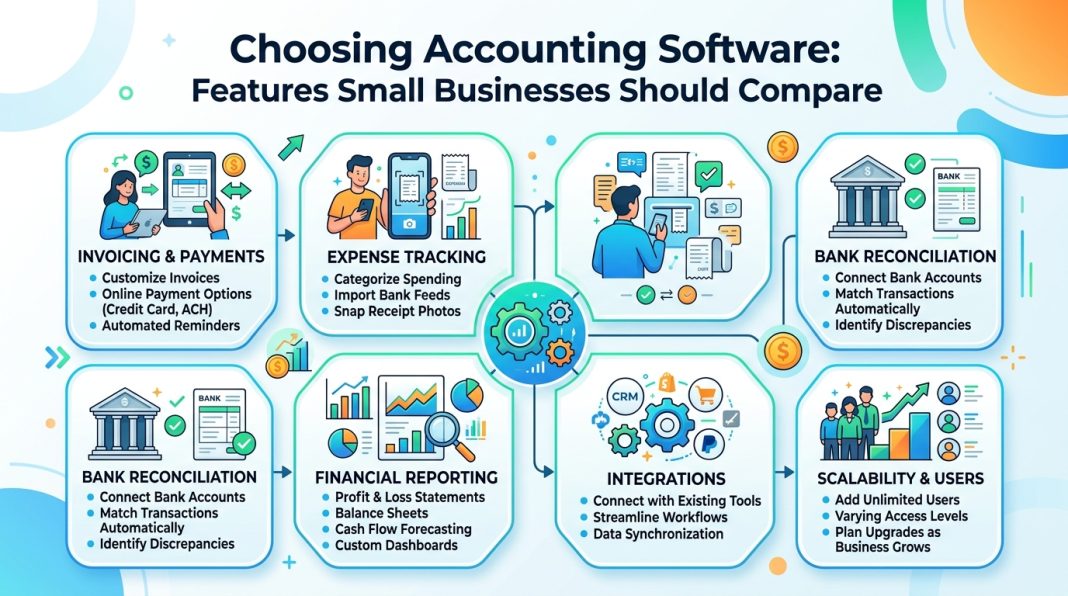
Choosing Accounting Software: Features Small Businesses Should Compare
For small business owners, accounting software is no longer a digital replacement for a ledger. It is the operational infrastructure that touches invoicing, payroll, inventory, tax compliance, cash flow forecasting, and strategic decision-making. The market, however, is saturated with platforms that promise comprehensive solutions while burying limitations in tiered pricing, integration caps, or region-locked features.
Selecting the wrong system does more than waste budget; it fragments workflows, complicates compliance, obscures profitability, and creates data silos that slow growth. The right platform, conversely, scales with revenue, reduces manual reconciliation, and provides real-time visibility into financial health.
This guide provides a structured, feature-by-feature comparison framework. It cuts through marketing language, highlights what truly matters at different growth stages, and offers a practical evaluation process you can implement immediately.
Core Features Every Small Business Needs
Before evaluating advanced modules, verify that any platform handles these foundational capabilities reliably. These are the non-negotiables for day-to-day financial operations.
Invoicing & Billing Flexibility
What to compare: Recurring invoicing, milestone or progress billing, deposit/retainer tracking, automated late fees, multi-currency support, and integrated client payment portals.
Why it matters: Cash flow constraints are a leading cause of small business failure. Automated billing cycles reduce days sales outstanding (DSO) and eliminate administrative delays.
Practical example: For instance, one mid-sized marketing agency reported that after switching from manual PDF invoicing to a platform with automated milestone billing and integrated payment gateways, their average collection time dropped significantly, and administrative hours dedicated to accounts receivable fell by several hours per week.
Bank Feeds & Automated Reconciliation
What to compare: Direct bank and credit card connectivity, rule-based transaction categorization, duplicate detection, split-transaction handling, and reconciliation workflow speed.
Why it matters: Manual data entry becomes unsustainable as transaction volume grows. Modern platforms leverage Open Banking APIs and financial data aggregators to pull transactions daily.
Evaluation tip: Test how the software handles recurring SaaS subscriptions, merchant processing fees, currency conversion spreads, and multi-account transfers. Weak reconciliation logic creates month-end bottlenecks.
Financial Reporting & Dashboards
What to compare: Real-time profit and loss, balance sheet, cash flow statements, custom report builders, comparative period analysis, and export formats (PDF, Excel, CSV, OFX).
Why it matters: Lagging financial reports force reactive management. Real-time dashboards enable proactive cash flow steering and faster strategic pivots.
Practical note: Ensure the platform supports both cash and accrual accounting. Many startups begin on a cash basis but must transition to accrual for investor reporting, loan applications, or regulatory compliance.
Payroll & Statutory Tax Integration
What to compare: Native payroll versus third-party integration, automated tax calculations, statutory filing support, multi-jurisdiction compliance, and year-end reporting generation.
Why it matters: Payroll and tax miscalculations trigger penalties, erode employee trust, and increase audit exposure. Seamless integration ensures general ledger accounts update automatically without manual journal entries.
Watch out for: Platforms that charge per payroll run versus monthly flat fees. If you process biweekly or semi-monthly payroll, per-run pricing will silently inflate operational costs.
Advanced Capabilities That Separate Good from Great
Once core functionality is verified, evaluate how the software handles scaling, collaboration, and complex workflows.
Inventory & Cost of Goods Sold (COGS) Tracking
What to compare: Real-time stock levels, FIFO/LIFO/weighted average cost methods, bundle or kit tracking, low-stock alerts, and automated COGS calculation.
Industry fit: Essential for e-commerce, retail, wholesale, manufacturing, and food production. Often unnecessary for pure service-based businesses.
Practical insight: For example, one specialty beverage manufacturer noted that after implementing a platform with lot tracking and automated COGS, their gross margin visibility improved noticeably, and stockout incidents dropped significantly.
Project & Job Costing
What to compare: Integrated time tracking, expense allocation per project, budget versus actuals, work-in-progress (WIP) reporting, and profitability dashboards.
Industry fit: Consulting firms, creative agencies, construction, IT services, and legal practices.
Evaluation tip: Prioritize platforms that pull timesheets and expenses directly into client invoices. Manual cross-referencing between time-tracking applications and accounting systems is a common leakage point for billable hours.
Multi-Entity & Multi-Currency Support
What to compare: Consolidated reporting, intercompany transaction elimination, live versus manual currency conversion rates, and jurisdictional tax rule mapping.
When you need it: Operating across multiple regions, managing holding companies, franchising, or handling international supplier/customer payments.
Warning: Many entry-level platforms treat multi-currency as a premium add-on but lack automated foreign exchange gain/loss posting. Verify how period-end revaluations and unrealized FX adjustments are handled.
Role-Based Access & Accountant Collaboration
What to compare: Granular user permissions, comprehensive audit trails, dedicated bookkeeper/accountant/tax adviser portal access, client view limitations, and immutable change logs.
Why it matters: Financial security and workflow efficiency depend on precise access controls. Your external accountant should have full visibility; a sales representative should only access invoicing modules.
Best practice: Choose software that allows your accountant, bookkeeper, or tax adviser to log in directly for compliance and filing, eliminating CSV exports, email chains, and version control issues.
AI, Automation & Predictive Insights
What to compare: Optical character recognition (OCR) for receipts, auto-categorization rules, anomaly detection, cash flow forecasting, and AI-assisted month-end close workflows.
Reality check: AI in accounting software is advancing rapidly, but accuracy varies. Some platforms misclassify transactions at noticeable rates, requiring manual review. Always verify rule-based override capabilities and learning feedback loops.
Evaluation method: Run a 30-day parallel test with 50–100 real transactions. Track how many auto-categorizations required correction and whether the system adapts to your adjustments.
Industry-Specific Considerations
Your business model dictates which features are mission-critical. Generic platforms often require workarounds that slow operations.
| Industry | Must-Have Features | Common Pitfalls to Avoid |
|---|---|---|
| E-commerce & Retail | POS integration, real-time inventory sync, automated sales tax/VAT, COGS tracking | Platforms that batch-sync with Shopify, WooCommerce, or Amazon instead of updating in real-time |
| Professional Services | Time tracking, retainer billing, project profitability, WIP management | Software lacking client portals, milestone invoicing, or expense pass-through capabilities |
| Construction & Trades | Job costing, change order tracking, progress billing, retainage management, subcontractor compliance | Systems without phase-based budgeting or statutory payroll reporting |
| Nonprofits & Associations | Fund accounting, grant tracking, donor management, restricted versus unrestricted net asset reporting | Platforms using standard commercial GL structures without fund restriction controls |
| Restaurants & Hospitality | Recipe costing, tip distribution/pooling, location-based P&L, integrated tip compliance | Software without multi-location reporting or automated tip allocation workflows |
Pro Tip: Do not force-fit a generic platform. If your industry has specialized compliance or workflow requirements, prioritize software with native vertical features or certified third-party add-ons from established marketplaces.
Global & Emerging Market Considerations
Accounting software is rarely borderless. If your business operates internationally, sells across regions, or plans to scale into emerging markets, verify these capabilities before committing:
- Multi-Currency & VAT/GST Handling: Ensure the platform supports dynamic exchange rates, automatic tax jurisdiction mapping, and compliant invoice formatting for your target regions. Verify whether it handles reverse-charge mechanisms, digital service taxes, and threshold-based registration rules.
- Local Payment Gateways & Mobile Money: In many markets, bank transfers, mobile wallets, or regional payment processors dominate. Confirm native integrations with local gateways rather than relying solely on international processors.
- Data Hosting & Sovereignty: Some jurisdictions require financial data to reside within national borders. Verify where the vendor hosts data, whether regional data centers are available, and how cross-border data transfers comply with local privacy laws.
- Local Bank Feed Availability: Open Banking and financial data aggregation coverage varies widely by country. Test whether your primary business banks support direct, automated feeds or if manual statement imports will be required.
- Accountant & Bookkeeper Ecosystem: Global adoption depends on local professional support. Confirm whether your region’s accounting firms are trained on the platform, whether local tax filing modules exist, and whether compliance updates are rolled out promptly.
Hidden Costs & Pricing Models
Vendor pricing pages rarely reflect total cost of ownership. Evaluate these factors over a 24-month horizon:
| Cost Factor | What to Verify |
|---|---|
| Per-User vs. Flat Rate | Does adding a bookkeeper, accountant, or part-time staff member trigger additional fees? |
| Add-On Modules | Payroll, advanced inventory, project management, and premium support often cost 30–100% more than base subscriptions. |
| Transaction or API Limits | Some platforms cap invoices, bill payments, or third-party API calls. Overage fees can spike unexpectedly during peak seasons. |
| Data Migration & Onboarding | Free trials rarely include historical data import. Professional migration, chart of accounts mapping, and configuration can range significantly depending on complexity. |
| Cancellation & Data Export | Can you export your full general ledger, attachments, audit trails, and tax reports in standard formats? Vendor lock-in is a documented risk. |
| Support Tiers | Priority phone/chat support, dedicated implementation managers, and training sessions are frequently reserved for higher tiers. |
Actionable Framework: Build a TCO spreadsheet. Include base subscription, required add-ons, estimated migration costs, staff training hours, and potential overage fees. Compare across three finalists using identical assumptions.
Security, Compliance & Data Ownership
Financial data requires enterprise-grade protection. Treat software selection as a vendor risk assessment.
- Certifications to verify: SOC 2 Type II, ISO 27001, and regional privacy compliance (GDPR, CCPA, POPIA, etc.). SOC 2 remains the benchmark for SaaS security controls.
- Authentication & Access Controls: Enforce multi-factor authentication, IP restrictions, session timeouts, and single sign-on (SSO) for teams.
- Immutable Audit Trails: Every modification, deletion, or journal entry should be logged with user ID, timestamp, and before/after values. Reversible edits without traceability create compliance gaps.
- Data Backups & Recovery: Verify backup frequency, retention periods, and disaster recovery service level agreements. Confirm whether point-in-time restoration is available.
- Data Portability: Ensure you can export transaction history, chart of accounts, tax reports, and document attachments in universally accepted formats. Test the export process before signing a contract.
Step-by-Step Evaluation Framework
Systematic validation prevents costly implementation failures.
- Map Pain Points & Growth Trajectory
List current bottlenecks (e.g., month-end close takes too long, inability to track project profitability, duplicate data entry between CRM and accounting). Rank by operational impact. - Build a Weighted Feature Matrix
Assign priority weights to each feature based on business needs. Score each platform objectively. Multiply and sum to remove marketing bias. - Run a Parallel Trial
Import 30–60 days of real transactions. Process invoices, vendor bills, payroll runs, and bank reconciliations. Track time spent, error rates, and workflow friction. - Involve Your Accountant, Bookkeeper, or Tax Adviser Early
Financial professionals will identify GL mapping issues, tax configuration gaps, and reporting limitations that operational teams might overlook. Their approval reduces post-launch friction. - Test the Integration Ecosystem
Verify native connections to your CRM, POS, payment processor, and e-commerce platform. Use automation tools like Zapier or Make only as fallbacks, not as core accounting workflows. - Negotiate Implementation & Support Terms
Request data migration assistance, configuration support, and guaranteed response times for critical issues. Secure all service commitments in writing.
Final Checklist Before Commitment
- [ ] Core features align with daily workflows (invoicing, expenses, reconciliation, reporting)
- [ ] Industry-specific requirements are natively supported or covered by certified integrations
- [ ] Pricing model matches user count, transaction volume, and projected growth
- [ ] Data export is unrestricted and formatted for external accountants or tax software
- [ ] Security certifications, MFA enforcement, and audit trails are documented and verified
- [ ] Accountant, bookkeeper, or tax adviser has reviewed GL structure, tax settings, and reporting capabilities
- [ ] 30-day parallel trial completed with real transactions and measured efficiency metrics
- [ ] Implementation, training, and support SLAs are confirmed in writing
Trusted Resources & Reference Links
Start with your local resources, then explore these international references:
- Your Local Tax Authority & Accounting Body: Region-specific compliance requirements, tax filing deadlines, and professional standards.
- International Federation of Accountants (IFAC): Global accounting standards, SME guidance, and digital transformation resources. https://www.ifac.org
- OECD Tax Administration Resources: Cross-border VAT/GST compliance, digital tax frameworks, and small business guidance. https://www.oecd.org/tax
- AICPA Technology & Small Business Resources: Professional standards, software evaluation checklists, and cybersecurity guidelines. https://www.aicpa.org
- G2 Accounting Software Grid: Verified user reviews, feature comparisons, and pricing transparency. https://www.g2.com/categories/accounting
- Capterra Accounting Software Directory: Filter by deployment type, industry, and integrations. https://www.capterra.com/accounting-software/
- Open Banking & Financial Data APIs: Verify regional bank connectivity and aggregator coverage. https://www.openbanking.org.uk | https://www.finextra.com/openbanking
Conclusion: Choose Workflow Fit, Not Feature Count
The most effective accounting software is not the platform with the longest feature list; it is the system that integrates seamlessly into your operations. It should reduce friction, not create it. It should provide confidence in your financial data, not require forensic reconstruction to interpret.
Start with accuracy, seamless bank connectivity, and clean reporting. Layer in advanced modules only when revenue complexity, team size, or compliance requirements demand them. Involve your financial advisors early, validate with real transaction data, and never compromise on data portability.
When your accounting system operates quietly in the background, your team is free to focus on what actually drives growth: serving clients, optimizing delivery, and scaling strategically.
Disclaimer: This guide provides educational information for software evaluation purposes. Accounting standards, tax regulations, payroll requirements, and data compliance laws vary by jurisdiction and change regularly. Consult a qualified accountant, tax professional, or legal advisor in your region before making financial or compliance-related decisions.

