

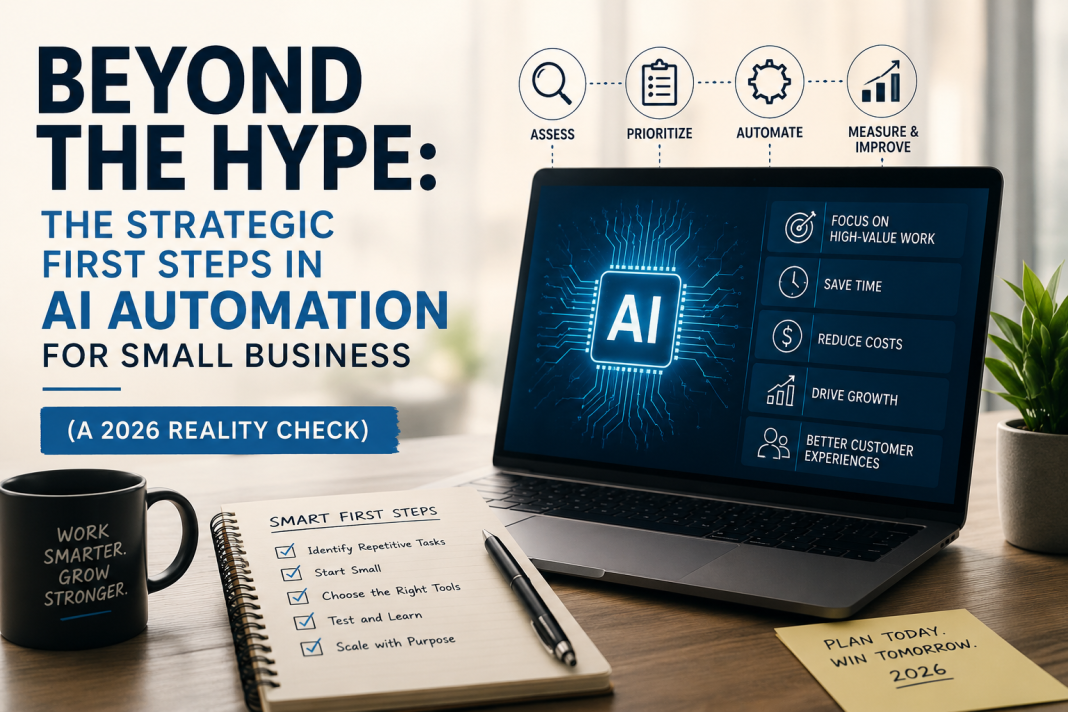
Beyond the Hype: The Strategic First Steps in AI Automation for Small Business (A 2026 Reality Check)
Forget the buzzwords. Forget the “AI will solve everything” promises peddled by vendors desperate for your subscription. If you’re a small business owner staring at a mountain of daily tasks, drowning in admin, and wondering where to even begin with AI, you’re not alone. The current landscape (May 2026) is a confusing mix of genuine potential and overblown claims. Automating the wrong thing first isn’t just a waste of money; it erodes trust in the technology itself and steals precious time you can’t afford to lose.
The critical question isn’t what AI can do, but what should you automate first to generate immediate, tangible value while building a foundation for sustainable growth? This isn’t about chasing shiny objects; it’s about surgical precision. Based on real-world struggles and successes across diverse small businesses globally, here’s your deep, practical, and brutally honest guide.
The Core Principle: Automate the “Drudgery Drain,” Not the “Heartbeat”
Before we dive into tools, internalize this: AI’s greatest value for small businesses right now is eliminating the repetitive, rule-based tasks that drain human energy and creativity – the “Drudgery Drain.” These are the tasks that:
- Consume disproportionate time relative to their value (e.g., 3 hours spent manually categorizing expenses).
- Are highly predictable and rule-based (e.g., scheduling social media posts, basic data entry).
- Cause consistent errors or frustration due to human fatigue (e.g., transposing numbers in invoices).
- Generate zero customer delight or strategic insight on their own.
DO NOT START HERE (Common Pitfalls in 2026):
- Replacing Your Frontline Customer Service with a Generic Chatbot: Unless you have extremely simple, FAQ-only interactions (and even then…), a poorly implemented chatbot is a customer experience disaster. It frustrates users, increases ticket volume when it fails, and damages your brand. (See: The Berlin Bäckerei that lost 15% of its regulars after a chatbot couldn’t handle “Can I substitute rye flour in the sourdough?” – a core local request).
- Automating Complex Creative Work Prematurely: Trying to use AI to write your entire unique brand voice or design bespoke products often results in soulless, generic output. AI is a collaborator, not a replacement, for human creativity at this stage. (See: The Oaxacan artisanal chocolate maker whose AI-generated “story” for new flavors confused customers – they missed the human touch of the founder’s handwritten notes).
- Chasing “Predictive Analytics” Before Fixing Data Hygiene: Fancy sales forecasting is useless if your CRM data is a mess of inconsistent entries and missing fields. Garbage in, gospel out (but wrong). Fix your data first; then layer on AI.
The Strategic First Automations: Your 2026 Priority List
Based on global case studies and measurable ROI for small teams (1-20 people), here’s where to focus your initial AI efforts for maximum impact with minimal risk:
1. Taming the Time Vampire: Administrative & Operational Overhead
- The Problem: Invoicing, expense tracking, scheduling, basic bookkeeping. This is the silent killer of small business productivity. A Nairobi-based florist (Petals & Thorns) spent 12+ hours weekly just matching delivery notes to invoices and chasing payments.
- The 2026 Solution & Practical Guide:
- Tool Focus: AI-Powered Accounting Assistants (e.g., QuickBooks Advanced w/ AI Copilot, Xero w/ Hubdoc AI, Zeni.ai). Avoid basic automation; look for context-aware AI.
- What to Automate FIRST:
- Receipt & Invoice Data Extraction: Stop manual entry. Point your phone camera; AI reads vendor, date, amount, category with high accuracy, even for messy receipts. Crucially: Set up clear category rules first. Train the AI on your specific expense types (e.g., “Floral Wire – Supplier A” vs. “Floral Wire – Supplier B”).
- Automated Expense Categorization & Policy Checks: AI flags expenses that might violate policy (e.g., a $200 “dinner” on a Sunday) based on your rules, not just generic categories. Human reviews only the flags.
- Smart Invoice Matching & Payment Reminders: AI matches POs to invoices and delivery notes automatically. It sends personalized, non-annoying payment reminders (“Hi Sarah, your invoice #123 for the Mother’s Day bouquet is due tomorrow. Pay now? [Link]”) based on payment history and relationship.
- Nairobi Florist Case Study: Petals & Thorns implemented Zeni.ai. They spent 2 days defining categories and rules. Result: Saved 9 hours/week on admin. The owner redirected that time to calling top clients personally to discuss new seasonal arrangements, leading to a 22% increase in repeat orders within 3 months. The AI didn’t replace the relationship; it freed the human to nurture it.
- Your Action Plan:
- Track: Log exactly how many hours/week you spend on manual data entry, categorization, and chasing payments for one week.
- Audit: Identify the top 2-3 most time-consuming, error-prone admin tasks.
- Choose: Select a tool specializing in your specific pain point (e.g., expense mgmt vs. invoicing). Prioritize tools with strong mobile capture and customizable rules engines. Free trials are non-negotiable.
- Implement Ruthlessly: Dedicate 4-8 hours upfront to configure rules and train the AI on your data patterns. This is the make-or-break step.
- Measure: Track time saved and error reduction weekly for the first month. Did it hit your target (e.g., 5+ hours saved)?
2. Supercharging (Not Replacing) Customer Communication: The “First Touch” Filter
- The Problem: Overwhelming email/social DMs for simple queries (hours, location, basic product specs), clogging channels for real issues. A boutique fitness studio in Melbourne (Flow Studio) was missing genuine client concerns because their inbox was flooded with “What time is the 7am class?” messages.
- The 2026 Solution & Practical Guide:
- Tool Focus: AI-Powered Triage & Response Assistants (e.g., ManyChat Pro w/ GPT-4o integration, Zendesk Answer Bot (configured for specific FAQs), Custom GPTs for email). Key: This is NOT a full chatbot replacement; it’s an intelligent filter and draft generator.
- What to Automate FIRST:
- Intelligent Email Triage & Drafting: AI scans incoming emails, accurately identifies simple requests (booking confirmation, location query, basic FAQ), and generates a draft response for the human to review and send with one click. For complex or emotional emails, it flags them immediately for human attention with context.
- Hyper-Specific Social Media FAQ Handling: ONLY automate responses to pre-defined, crystal-clear questions on one platform (e.g., Instagram DMs: “What are your hours?” -> “We’re open Mon-Fri 6am-8pm, Sat 7am-2pm. Closed Sundays! 🧘♀️”). Crucially: Include a clear, easy escape hatch: “Type ‘agent’ anytime to talk to a real human.”
- Melbourne Studio Case Study: Flow Studio used ManyChat configured only for Instagram DMs with 5 specific, unambiguous FAQs (hours, class schedule link, pricing link, how to book, location map link). They did not automate rescheduling or complaints. Result: Reduced simple DM volume by 65%, freeing staff to proactively check in with clients who had recently attended classes (a human touchpoint that boosted retention). Crucially, the “Type ‘agent'” option was used 12% of the time, ensuring no one felt trapped.
- Your Action Plan:
- Analyze: Categorize all customer inquiries for a week. What percentage are truly simple, factual, repetitive questions? (Aim for >40% to justify this step).
- Define Rigorously: List exactly which 3-5 questions you will automate. Be painfully specific. “What are your hours?” is good. “Can I get a discount?” is not (too variable).
- Choose & Configure Sparingly: Pick one channel (email or one social platform). Configure the AI only for your defined FAQs. Write the responses yourself first; let the AI mimic your voice.
- Implement the Human Handoff: Make the path to a real person obvious and frictionless. Test it relentlessly.
- Monitor & Iterate: Check daily: Is the AI answering correctly? Are people using the handoff? Tweak responses constantly. If accuracy drops below 95%, pause and fix the rules.
3. Optimizing the Predictable: Inventory & Basic Demand Forecasting
- The Problem: Wasted capital on dead stock, lost sales from stockouts, constant manual counting. A family-run cheese shop in Lyon (Fromagerie Dubois) struggled with seasonal fluctuations – selling out of Comté in winter, wasting fresh chèvre in summer.
- The 2026 Solution & Practical Guide:
- Tool Focus: AI within Inventory/Sales Platforms (e.g., Lightspeed Retail w/ Demand Forecasting, Shopify’s Inventory AI tools, Cin7 Core). Avoid standalone “AI forecasting” black boxes; it needs to live in your operational system.
- What to Automate FIRST:
- Replenishment Alerts Based on Your Data: AI analyzes your sales history (factoring in seasonality, local events, even weather if integrated), current stock levels, and lead times to generate specific, actionable reorder points (“Order 15 wheels of Comté NOW for delivery in 10 days”). Not vague predictions.
- Dead Stock Identification: AI flags slow-moving items based on your sales velocity and category norms, suggesting targeted promotions before they become write-offs.
- Lyon Cheese Shop Case Study: Fromagerie Dubois used Lightspeed Retail’s forecasting module. They fed it 18 months of sales data, noting major local festivals. The AI learned that sales of certain goat cheeses spiked 3 weeks before the annual Fête des Lumières. Result: Reduced stockouts by 35% during peak season and cut dead stock write-offs by 28% by proactively discounting items identified as slow-movers before spoilage. The owner still makes the final order decision, but the AI provides the crucial data-driven nudge.
- Your Action Plan:
- Data Cleanliness Check: Is your sales data reasonably accurate and consistent? (This is often the biggest hurdle). Fix major gaps first.
- Start Small: Pick one product category (e.g., your bestsellers) or one location if multi-store.
- Configure Cautiously: Set conservative reorder points initially. Let the AI run in “advisory mode” for 1-2 months – it suggests, you decide. Track its suggestions vs. your actual decisions and outcomes.
- Incorporate Human Context: Manually add notes for known events (e.g., “Local marathon – expect +20% demand for energy bars”). Teach the AI your local reality.
- Measure Impact: Track stockout frequency, inventory turnover ratio, and dead stock costs monthly. Did the AI help improve these?
The Non-Negotiables for Success in 2026 (Beyond the Tool)
- Human-in-the-Loop is Mandatory: AI is an intern, not a manager. Always have a human reviewing, approving, and taking responsibility for AI outputs, especially in customer-facing or financial areas. Build this into your workflow from day one.
- Data is Your Foundation, Not an Afterthought: Garbage data = garbage AI. Spend time upfront ensuring the data feeding the AI is as clean and consistent as reasonably possible for your business size. One hour of data cleaning saves ten hours of AI debugging.
- Start Microscopically: Automate one specific task within one process. Don’t try to boil the ocean. Prove value on a small scale before expanding.
- Measure What Matters (to YOU): Don’t just track “AI usage.” Track time saved, errors reduced, revenue protected (from stockouts), costs avoided (dead stock), or customer satisfaction on the specific task you automated. Did it free up time for more valuable human work?
- Ethics & Transparency: Be upfront with customers when they’re interacting with AI (e.g., “Hi, I’m an assistant helping Sarah! For complex requests, I’ll connect you with her directly.”). Respect privacy – know where your data goes.
The Real Goal: Augmentation, Not Just Automation
The most successful small businesses in 2026 aren’t the ones with the most AI tools; they’re the ones using AI strategically to augment their human strengths. The Nairobi florist uses saved admin time for personalized client calls. The Melbourne studio uses reduced DM load for proactive client check-ins. The Lyon cheesemonger uses better inventory data to curate more thoughtfully.
Your First Step Tomorrow:
- Grab your calendar for last week.
- Circle every block of time spent on purely repetitive, rule-based tasks (data entry, simple scheduling, basic email replies, manual counting).
- Add up the hours. Be honest.
- Pick the single task that consumed the most hours AND meets the “Drudgery Drain” criteria (predictable, error-prone, zero strategic value).
- Research one tool specifically for that task. Look for free trials and real small business reviews (not just vendor hype).
Stop trying to build an AI empire. Start by eliminating one persistent, soul-sucking chore. Free up those 3 hours. Use them to talk to a customer, refine your product, or simply breathe. That’s the transformative power of AI for small business in 2026: not replacing you, but finally giving you the space to be the human entrepreneur your business needs. The technology is ready. Are you ready to automate the drain, and amplify the human? The time for thoughtful, strategic starts is now.

